Tuesday, May 25, 2010

14 Fresh and Useful jQuery Plugins

jQuery has changed the way developers write JavaScript and the way users interact with websites and web applications. If you’re a developer, you know what a joy working with jQuery can be, especially the convenience of plugins. In this post, we’ve rounded up 14 fresh and useful jquery plugins that have been released in the past few months. You’ll find that these plugins offer a wide range of functionality, from navigation enhancements to image viewing.

BubbleUp


1

With BubbleUP, images in a list will enlarge with a smooth animation when you move your mouse over it. Then, if you move the mouse out, it will reset to the original size with the same smooth animation. Imagine the Mac Dock effect, although this plugin’s effect is not awesome like that, it’s light weight for such a similar zooming effect.

Spritely


 2

Spritely is a jQuery plugin created by Artlogic for creating dynamic character and background animation in pure HTML and JavaScript.

jQuery-Notes


3

jQuery-Notes is a simple and easy to use jQuery-Plugin that allows you to add notes to any image (even foreign ones) on your website or blog.

Quicksand


4

Reorder and filter items with a nice shuffling animation. Just specify source container and destination collection which will replace the source collection. New elements will appear with fancy scaling+alpha effect, deleted elements (non-existant in destination collection) will scale out and rearranged items will move to their destination positions.

YoxView


5

YoxView is a popup image viewer, built using jQuery 1.4. It’s simple to use yet quite powerful.

Key Features:

  • Images are resized to fit inside the browser’s window
  • Images can be pre-cached
  • Multiple instances in the same page may be used, ideal for blog entries, for example.
  • Fully configurable – each instance may have a different configuration.
Masonry


 6

Masonry is a layout plugin for jQuery. Think of it as the flip side of CSS floats. Whereas floating arranges elements horizontally then vertically, Masonry arranges elements vertically then horizontally according to a grid. The result minimizes vertical gaps between elements of varying height, just like a mason fitting stones in a wall.

Ttabs


7

Ttabs tweaks html markup and then calls UI Tabs function. You do not need to specify the list of tabs before the first tab section. The plugin creates it from the headings, or you can specify the tab labels right in the javascript code.

TipTip


8

TipTip is a very lightweight and intelligent custom tooltip jQuery plugin. It uses ZERO images and is completely customizable via CSS. It’s also only 3.5kb minified!

jQuery Photoshoot


 9

jQuery PhotoShoot gives you the ability to convert any div on your web page into a photo shooting effect, complete with a view finder.

jqFancyTransitions


new_jquery_7

jqFancyTransitions is easy-to-use jQuery plugin for displaying your photos as slideshow with fancy transition effects. It’s compatible and fully tested with Safari 2+, Internet Explorer 6+, Firefox 2+, Google Chrome 3+, Opera 9+.

jQuery imageless buttons a la Google

11

This jQuery plugin is an attempt to recreate Google’s imageless buttons and prove that it doesn’t take a whole team of engineers and an endless cycle of code revision and quality control (their own words) to pull this off.

jQuery.sheet


12

jQuery.sheet gives you all sorts of possibilities when it comes to giving your web application a spreadsheet style interface with MS Excel style calculations.

TopUp


13

TopUp is an easy to use Javascript library for unobtrusively displaying images and webpages in a Web 2.0 approach of popups. The library is jQuery and jQuery UI driven in order to maintain cross-browser compatibility and compactness.

jquery mb.extruder


 14

This jquery component let you easly build a sliding panel where to insert any kind of content; it has builtin all the functionalities for managing menu lines and sub panels with accordion effect. It can get the content via ajax and therefore you can dynamically build it by passing DATA via request using the metadata attribute settable on the extruder container.


source:webdesignledger.com

read more...

7 interesting jQuery calendar plugins

jQuery is a fast and concise JavaScript Library that simplifies HTML document traversing, event handling, animating, and Ajax interactions for rapid web development.

In this article, you will read about the 7 interesting jQuery calendar plugins .

FullCalendar - Full-Sized, Drag & Drop Calendar

1

FullCalendar is a jQuery plugin that provide a full-sized, drag & drop calendar. it use AJAX to fetch events for each month and is easily configured to use your own feed format . It is easily customizable and exposes hooks for user-triggered events.

Create iCal-like Calendars with CSS and jQuery


2

iCal is a iPhone style Calendar application built with CSS and jQuery. You can see a lightweight Coda-like effect for events description popup when mouse over the specific date.

Date Picker


3

Date Picker component with a lot of options and easy to fit in your web application. Date Picker allow you to select single, multiple or range selection and easily Mark dates as special, weekends, special days. you can easily customize the look of Date Picker via..CSS . It offer lots of options and easy to fit in your web application and support multiple calendars in the component. Date Picker is available under MIT and GPL Dual licensed.

jMonthCalendar


4

jMonthCalendar is a full month calendar that supports events written as a plugin for jQuery. You simply initialize the calendar with options and an events array and it can handle the rest. it allow you to interact with the calendar when the display is about to change months, after the display has changed months and when the event bubbles are clicked on.

jQuery Date Range Picker with Shortcuts


5

jQuery Interactive Date Range Picker is a modified version of jQuery UI’s Datepicker,created and maintained by jQuery UI contributor Marc Grabanski. This version is optimized for quickly selecting a date from a list of preset dates/ranges and easily add smooth transitions when additional options are revealed. jQuery Date Range Picker using principles of Progressive Enhancement for interactive calendar .

The modified version of jQuery UI’s Datepicker include following features :

  • shortcut links to preset date ranges.
  • links to "All dates before..." and "All dates after..." to simplify selecting a range of values where the data set is very large or the high or low end value is an unknown.
  • only showing the number of calendars needed for choosing a particular range.
Datejs - Open Source Javascript Date Library


6

Datejs is an open-source JavaScript Date Library for parsing, formatting and processing. Datejs is released under the MIT License .

Timeago


7

Timeago is a jQuery plugin to create automatically updating fuzzy timestamps .Some example timestamps are "4 minutes ago, about 1 days ago".  it was originally built for use with Yarp.com to timestamp comments. Using Timeago is very functional for displaying more friendly timestamps and auto-update feature makes it more accurate when a page is opened for a while. You can take full advantage of page caching in your web applications, because the timestamps aren't calculated on the server.

source : dreamcss.com

read more...

Monday, May 24, 2010

11 Useful Online Tools for Better CSS Development

Whether you’re a CSS pro or just learning, it’s important to have a good set of tools to speed up and simplify your development. What makes the web so great now, is that many valuable tools can be found online and used inside your browser. Here are 11 online CSS tools that should be a huge help to your CSS development.

Grid Designer


1

Grid Designer is an easy to use tool that lets you quickly create complex grid layouts.

Drawter


2

Drawter Beta 2 is a tool written in JavaScript and based on jQuery library. It provides you the possibility to literally draw your website’s code. It runs on every single web-browser which makes it really useful and helpful. Each tag is presented as a layer you have drawn.

YAML Builder


3

The YAML Builder is a tool for visually creating YAML-based CSS layouts. It allows for the setting of basic layout characteristics like the number and positioning of the content columns, as well as the dynamic creation of grid-based layouts by dragging and dropping subtemplates.

Blueprint Grid CSS Generator


4

This tool will help you generate more flexible versions of Blueprint’s grid.css and compressed.css and grid.png files. Whether you prefer 8, 10,16 or 24 columns in your design, this generator now enables you that flexibility with Blueprint.

Format CSS


5

This tool lets you paste your css into a field and returns a formatted version based on various settings that you specify.

CSS Type Set


6

CSS Type Set allows you to enter text and then experiment with various settings such as font, font size, color and more to see what your css text will look like.

Clean CSS


7

CleanCSS is a powerful CSS optimizer and formatter. Basically, it takes your CSS code and makes it cleaner and more concise.

YUI CSS Grid Builder


8

CSS Grid Builder is part of Yahoo!’s YUI Library. It’s a simple interface for Grids customization.

Typetester


9

Typetester gives you lots of settings to create side-by-side comparisons of on screen text, and then grab the CSS for the one you like.

CSS Frame Generator


0

CSS Frame Generator allows you to paste your XHTML code into a text area and it converts it into a CSS Frame layout.

W3C CSS Validation Service


11

If you haven’t heard of the W3C CSS Validation Service, you should start using it. It is a great and easy way to make sure your CSS and XHTML is valid.

source: webdesignledger.com

read more...

Sunday, May 23, 2010

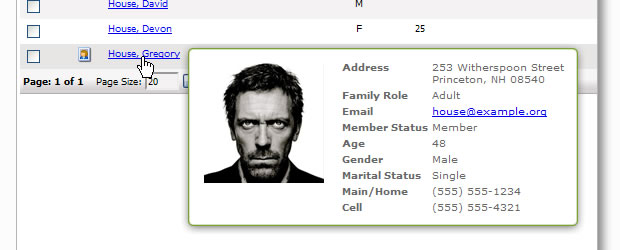
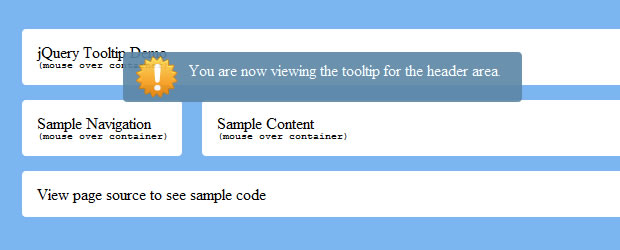
10 Attractive Jquery CSS Tooltips Tutorials

Tooltips are a great way to pour life in your simple html content. They are easy to do with little jquery and css. You page gets attractive and users like techy stuff on websites.
Here are some of the tutorials gathered from different sites.

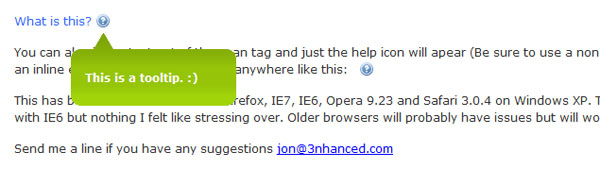
Simple tooltip powered by jQuery

tooltip jquery

Build a Better Tooltip with jQuery Awesomeness

tool tip jquery

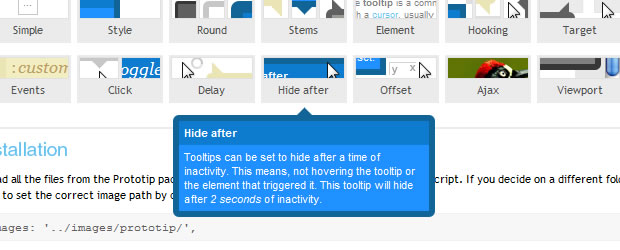
Prototip 2 – Create Beautiful Tooltips with Ease

tooltip ease jquery

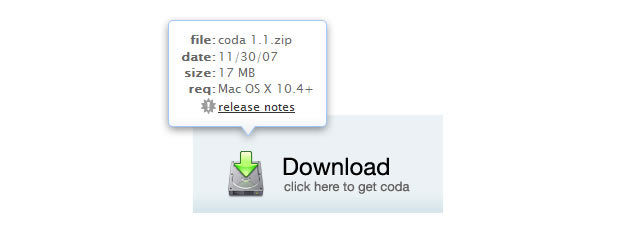
Coda Popup Bubbles

tooltip bubble jquery

jTip – The Jquery Tool Tip

jtip tooltip jquery

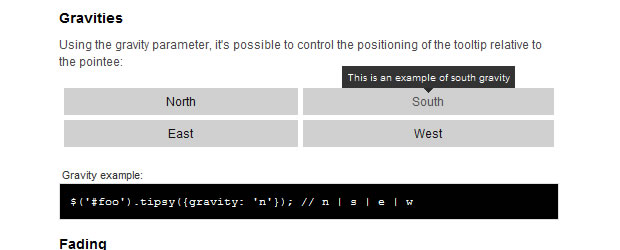
Tipsy – Facebook-Style Tooltip Plugin for jQuery

tipsy tooltip jquery facebook

jQuery Ajax Tooltip

jquery ajax tooltip

jQuery Horizontal Tooltips Menu Tutorials

jquery horizontal tooltips

Creating A Simple Tooltip Using jQuery and CSS

simple tooltip jquery css

Easiest Tooltip and Image Preview Using jQuery

easiest tooltip

source: www.designzzz.com

read more...

Saturday, May 22, 2010

Top 10 jQuery Snippets (including jquery 1.4)

images

Amazing collection of the top 10 most used jQuery snippets that you need to know about! Includes new amazing 1.4 jQuery framework methods.

I have found that people are going bananas over jQuery, so i’ve decided to share my top 10 jQuery snippets that i KNOW you will need to use at one point or another.

Amazing collection of the top 10 most used jQuery snippets that you need to know about! Includes new amazing 1.4 jQuery framework methods.

I have found that people are going bananas over jQuery, so i’ve decided to share my top 10 jQuery snippets that i KNOW you will need to use at one point or another. So here they are, enjoy! I have also added jquery 1.4 features never used before.

1. The quick copy paste jQuery starter embed

Almost every time I start using jQuery I need to paste this in to start writing my beautiful code.

<script src="http://code.jquery.com/jquery-latest.js"></script>  
<script>  
$(document).ready(function(){  
// jQuery Code Here  
});  
</script> 


You can either paste this in your header (if you are using jquery for any appearance changes its suggested to do so in the header) or you can add it at the end of your body, that way your styles will load first (hence making a faster load) and then the jquery will be loaded last.


2. Value swap (usually for search fields)


I find myself using this rather often, whenever you have a search field and you want it to defaultly display a value “search…” and have that value empty out on focus, well this is how to do this with jQuery 1.4.


swap_val = [];  
$(".swap").each(function(i){  
swap_val[i] = $(this).val();  
$(this).focusin(function(){  
if ($(this).val() == swap_val[i]) {  
$(this).val("");  
}  
}).focusout(function(){  
if ($.trim($(this).val()) == "") {  
$(this).val(swap_val[i]);  
}  
});  
});  


This jquery will create an array with every input field that has the class swap. For example:


<input type="text" class="swap" value="Swap Me!" /> 


The value Swap Me! will be erased when you click in the input field, and it will come back in if you don’t enter anything.


3. Equal Column Height


Unfortunately css does not support this natively, sometimes when creating column based layouts it looks so much better if the columns aligned by height, so here is the easy way of doing this.


var max_height = 0;  
$("div.col").each(function(){  
if ($(this).height() > max_height) { max_height = $(this).height(); }  
});  
$("div.col").height(max_height);  


This will go through every div with class col and check for which one contains the highest size, once done it will apply that height to all divs with class col. For example:


<div style="height:200px;" class="col">
</div>
<!-- this being the higher div will be set as the max_height -->  
<div class="col">
</div>
<!-- this being the smaller div will be made 200px high -->  


If you read the comments above you will see that each div has the class col, and that the second div will be set at height 200px.


4. On Hover add and Remove a class


Let’s say you want to have a suckerfish dropdown, or maybe you just want to add a cool hover on a div, well in some browsers thats not allowed to be done with pure css, hence use this simple technique and you will have cross browser hover with any two class you want.


$('.onhover').hover(  
function(){ $(this).addClass('hover_style_class') },  
function(){ $(this).removeClass('hover_style_class') }  
)  


The code above will apply a class home_style_class on hover of an element with the class onhover.


5. Live Event Binding


With jquery you can capture an onclick event with the .click() method, but this is the slower less efficient way. Also if you created new elements with ajax or with jquery those new elements will not be bound by the regular click() method. So using live click/submit and so on will apply itself to all new elements, and will only bind once to all.


$(".element").live("click", function(){  
// do something on click  
});


The code above will apply any code you want on click event on an element with class element.


6. Partial Page Refresh


Okay personally when the term ajax comes to mind i get a little worried… but I found this amazing technique to refresh page content without any real ajax or special tricks. All you need is to apply an id to a certain element, and run this little script, choose how many seconds to wait until refresh and VUALA!


setInterval(function() {  
$("#refresh").load(location.href+" #refresh>*","");  
}, 10000); // seconds to wait, miliseconds  


Okay so the script above will refresh the div with id refresh every 10 seconds… this can be so awesome in so many cases! Btw make sure you have tags inside the refresh div, otherwise it doesn’t seem to work with pure text.


7. Each Element


I seem to use this pretty often when i want to do something with a set of elements, for example if you do your own form validation and you want to check each input field before submitting.


$("input").each(function (i) {  
//do something with each and pass i as the number of the element  
}); 


So choose an element to cycle through, it can be a set of li’s in a chosen unordered list, or all the input fields as above. Use the i to get the number of the current element, and of course the $(this) to do something to the element it’s going through.


8. Find an element close by (jQuery 1.4)


With the new jQuery 1.4 we have the new awesome feature of the closest() method which will find the element closes to the current one. So no more searching through the parents and children to get to the close element we need.


$("li").click(function(){  
$(this).closest(".me").addClass("smile");  
}); 


The code above will find the closes class me to the li that was clicked on and add class smile to it. Hence you can see how beneficial this can be!


9. Delay animation/effect


Another great new feature of the 1.4 jquery framework is the Delay method which allows you to delay an animation. Instead of using the setTimeout method, you can now simply add the .delay() method and pass in how long to delay, like this:


$(".alert").delay(2000).fadeOut();  


The above will fade out an element with class alert after 2 seconds. This can be used for growl like notifications.


10. Check if an element contains a certain class or element


Another awesome feature of jQuery 1.4 that will be quite handy is the has method. This method will find if a an element contains a certain other element class or whatever it is you are looking for and do anything you want to them.


$("input").has(".email").addClass("email_icon");  


In the above code we will look through all inputs that have the class email and add the class email_icon.


Here are some that didn’t make the top 10 cut:


Creating the zebra stripe effect on UL/OL or Tables


Sometimes we have tables or ordered/unordered lists that we want to be easily read. Here is a quick jq trick:


$("tr:odd").addClass("odd");  
$("li:odd").addClass("odd");  


The code will add the class odd to every other element!


Automatic external link open in New Window


Tired of having to add target=”_blank” every time you don’t want your visitors to navigate away from your page? Let jquery do the work!


$('a').each(function() {  
var a = new RegExp('/' + [removed].host + '/');  
if(!a.test(this.href)) {  
$(this).click(function(event) {  
event.preventDefault();  
event.stopPropagation();  
window.open(this.href, '_blank');  
});  
}  
}); 


Now every a href in your page will open in a new window if it doesnt go somewhere in your own website!


Thanks for checking out my little list of snippets, if you have any suggestions or corrections comment below and i will try to add them for further reference!

read more...

Top 7 Mind-Blowing CSS3 Techniques and Demos

yestutor brings the top seven Mind-Blowing  CSS3 Techniques and Demos around the web for its users.Hope you like them and share them.

Pure CSS3 Page Flip Effect

By using CSS3 gradients, transitions, 2d transforms and clipping, Román Cortés has built this pure CSS3 – without Javascript – page flipping effect magazine.

You could add some Javascript and it would then be possible to do a full catalog viewer just like the existing ones Flash versions, which are popular.
It works in Webkit based browsers (Safari and Chrome) only.

Our Solar System – An experiment with CSS3

This is a recreation of our solar system using the CSS3 features border-radius, transformandanimation.
The orbits and planets have all been built using border-radius, while the animation have been done via –web kit animation properties and transform. The result is amazing!

Pure CSS3 Animated AT-AT Walker from Star Wars

This article is not only showcasing experimental CSS3, it actually shows you how to do it via a highly detailed and well written tutorial (by Anthony Calzadilla), that walks you through the process of creating a CSS3 animation of an AT-AT Walker from The Empire Strikes Back.

Pure CSS3 Spiderman Cartoon

This experiment is a recreation of the intro to the classic 1967 Spiderman cartoon using CSS3 for animation and with a little dash of HTML5 for audio

Pure CSS3 Cube

Create Social Media Icons in Pure CSS

These icons are an amazing and practical example of what can be achieved with CSS3. Built using the new CSS3 properties border-radius, text-shadow, box-shadow and gradients. They are an amazing achievement.

Anigma – Online Gaming using only CSS3 Animations and Transitions

Benjamin Meyer has built the experimental Anigma, an online game designed to showcase some of CSS3s functionality, and in particular its transitions and animations.
Anigma is a simple puzzle game where the player has to remove the jewels from the screen, by moving matching jewels next to each other, and progress through multiple levels of varying difficulty.
The source files are also available.

read more...